Yesterday’s release post was about the bigger business line we will not cross: no royalties on IAP, ads, commerce or app revenue. This post is about one of the most concrete platform additions in that release. PR #5281 adds Apple CarPlay and Google Android Auto support under com.codename1.car.
The first thing to know is what this is not. CarPlay and Android Auto are not second screens where your normal Codename One Form is drawn. They are driver-safe, template-based systems. Apple and Google decide which templates are legal in a car, how many rows can appear, which app categories are allowed, and which interactions are safe while driving.
Codename One now gives you one portable way to describe those templates.
The Template Model
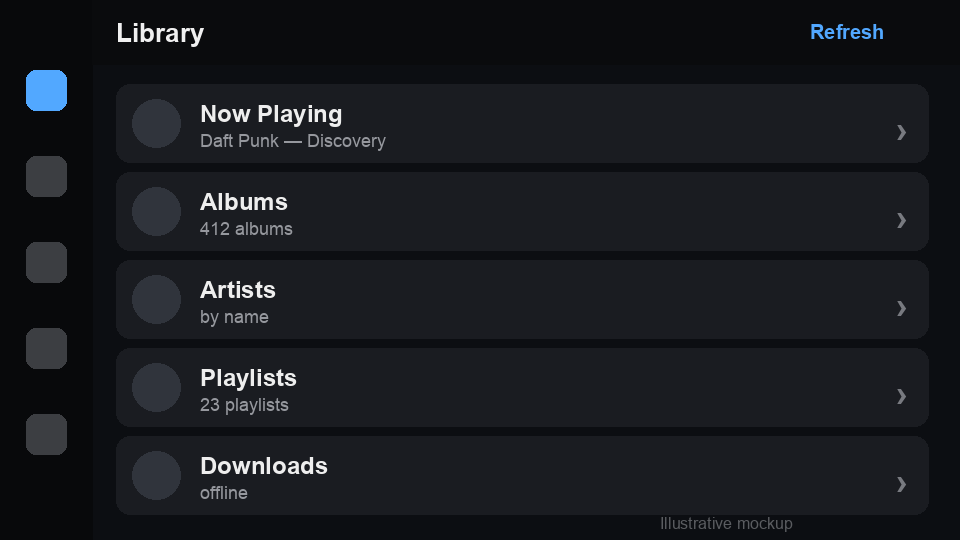
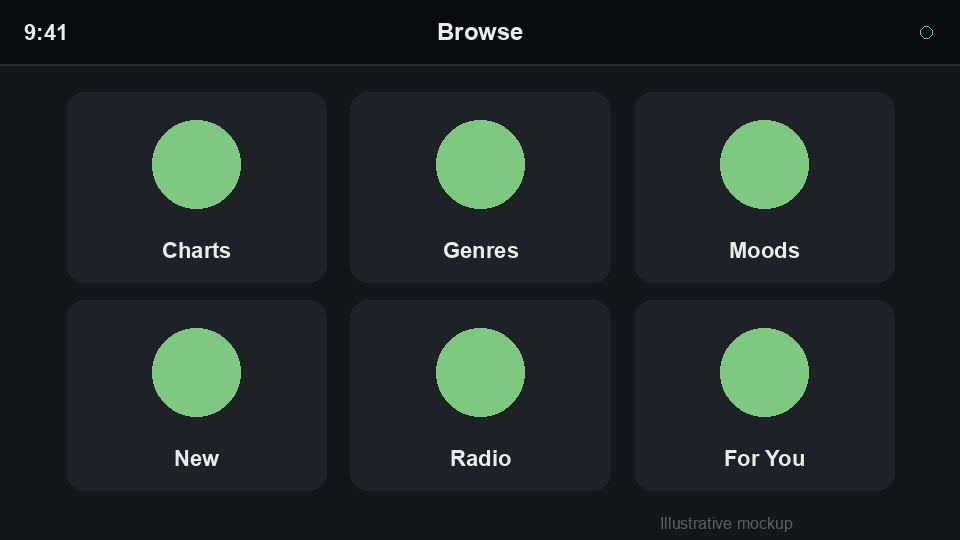
A car app registers a CarApplication. When a head unit connects, the application returns a root CarScreen. Each screen returns one CarTemplate: list, grid, pane, message, navigation, or now-playing.
import com.codename1.car.*;

public class MyApp {
    public void init(Object context) {
        Car.setApplication(new MyCarApplication());
    }
}

class MyCarApplication extends CarApplication {
    public CarScreen onCreateRootScreen(CarContext context) {
        return new LibraryScreen();
    }
}

class LibraryScreen extends CarScreen {
    protected CarTemplate onCreateTemplate() {
        return new CarListTemplate().setTitle("Library")
            .addRow(new CarRow("Now Playing")
                .setText("Daft Punk - Discovery")
                .setOnAction(ctx -> play()))
            .addRow(new CarRow("Albums")
                .setBrowsable(true)
                .setOnAction(ctx -> ctx.pushScreen(new AlbumsScreen())))
            .addRow(new CarRow("Playlists")
                .setBrowsable(true)
                .setOnAction(ctx -> ctx.pushScreen(new PlaylistsScreen())));
    }
}
That code maps to CPListTemplate on CarPlay and ListTemplate on Android Auto. Grid items map to CPGridButton and GridItem. The now-playing template routes to the system media surface. Navigation gets a template shell with controls and ETA strips; the moving map surface is scaffolded but still being completed.
Navigation And Lifecycle
CarContext gives you a head-unit stack:
context.pushScreen(new DetailScreen());
context.popScreen();
screen.invalidate();
context.showToast("Added to queue");
CarScreen has lifecycle hooks for create, resume, pause, and destroy. CarApplication receives connect and disconnect callbacks, and you can listen globally:
Car.addConnectionListener(new CarConnectionListener() {
    public void carConnected(CarContext ctx) {
        startLocationStream();
    }

    public void carDisconnected() {
        stopLocationStream();
    }
});
That is a good place to start and stop work that only exists while the dashboard is connected.
Zero Cost When Unused
The build system scans your bytecode. If it sees com.codename1.car, it injects the native wiring. If it does not, the app carries none of this.
no car dependencies"] B -->|yes| D["Inject car support"] D --> E["iOS: CarPlay scene
framework + entitlement"] D --> F["Android: CarAppService
androidx.car.app dependency"] E --> G["Native head unit templates"] F --> G
That is especially important for a framework with one codebase. A normal shopping app, game, or business tool should not gain a CarPlay dependency just because the framework knows how to build one.
Build Hints And Approval
Car app categories matter. The build can inject wiring, but Apple and Google still decide whether an app is allowed into the car.
ios.carplay.audio=true
ios.carplay.navigation=true
android.androidAuto.navigation=true
android.androidAuto.poi=true
Audio is the default CarPlay category when no iOS car category is specified. Messaging, navigation and point-of-interest categories need the matching hints. Restricted Android Auto categories and real CarPlay deployment still require platform approval and, for iOS, the relevant CarPlay entitlement on your Apple App ID.
That is not a Codename One limitation. It is the safety model of the car platforms.
Simulator Head Units
The simulator has a Car menu now. Car > Connect CarPlay and Car > Connect Android Auto open a simulated head-unit window that renders the same portable template tree. It is not a pixel-perfect emulator, but it gives you a fast loop for stack navigation, row caps and action callbacks.
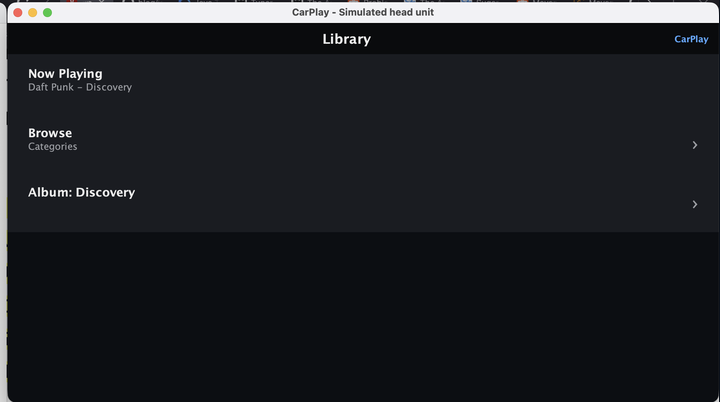
Selecting a browsable row pushes the next screen:
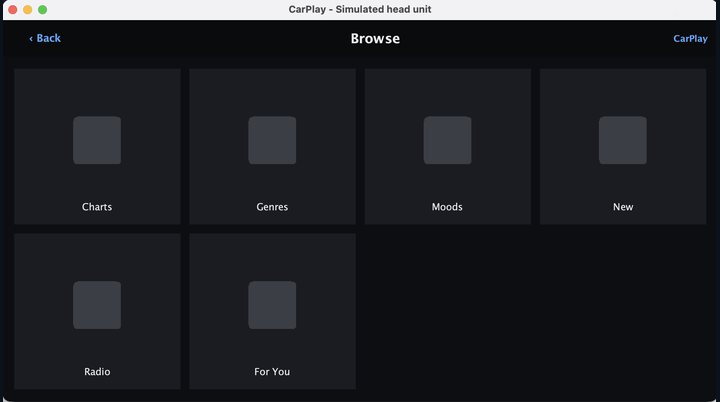
That is the right level of simulation. You can build the car experience while still working in the normal desktop loop, then use Apple’s CarPlay simulator or Android’s Desktop Head Unit when you need to test the native projection layer.
Wrapping Up
CarPlay and Android Auto support is a platform capability, not a revenue feature. There is no extra royalty because your podcast app, navigation app, or point-of-interest app reaches a dashboard. You still need Apple and Google approval for the categories they restrict, and you still need to design within the car template catalogue. Codename One now gives you the portable model and build wiring so that work lives in one codebase.
Discussion
Join the conversation via GitHub Discussions.